Help
Daily Edge is a free trading journal with charts, a paper-trading simulator and a private portfolio tracker. It runs in your browser, with no account, and your data stays on your device. New here? Every page has a short tour. Tap Show tour in the top bar. Look for the ? buttons for quick explanations. Questions? See the FAQ.
JournalChartsPaper tradingShare cardsPortfolioToolsProInstall & offline
📓 Journal: your 60-second daily check-in
- Write a plan before you trade: bias, levels, max loss.
- Tick your rules as you keep them. Edit the list in Settings (free: 3 rules).
- Log trades: symbol, long/short, a setup tag, P&L and R (P&L ÷ what you risked).
- Pick your mood, add a lesson, and tap Complete check-in to keep your streak.
- Check Stats. Pro shows what breaking your rules costs you per trade, plus by-setup and by-mood results.
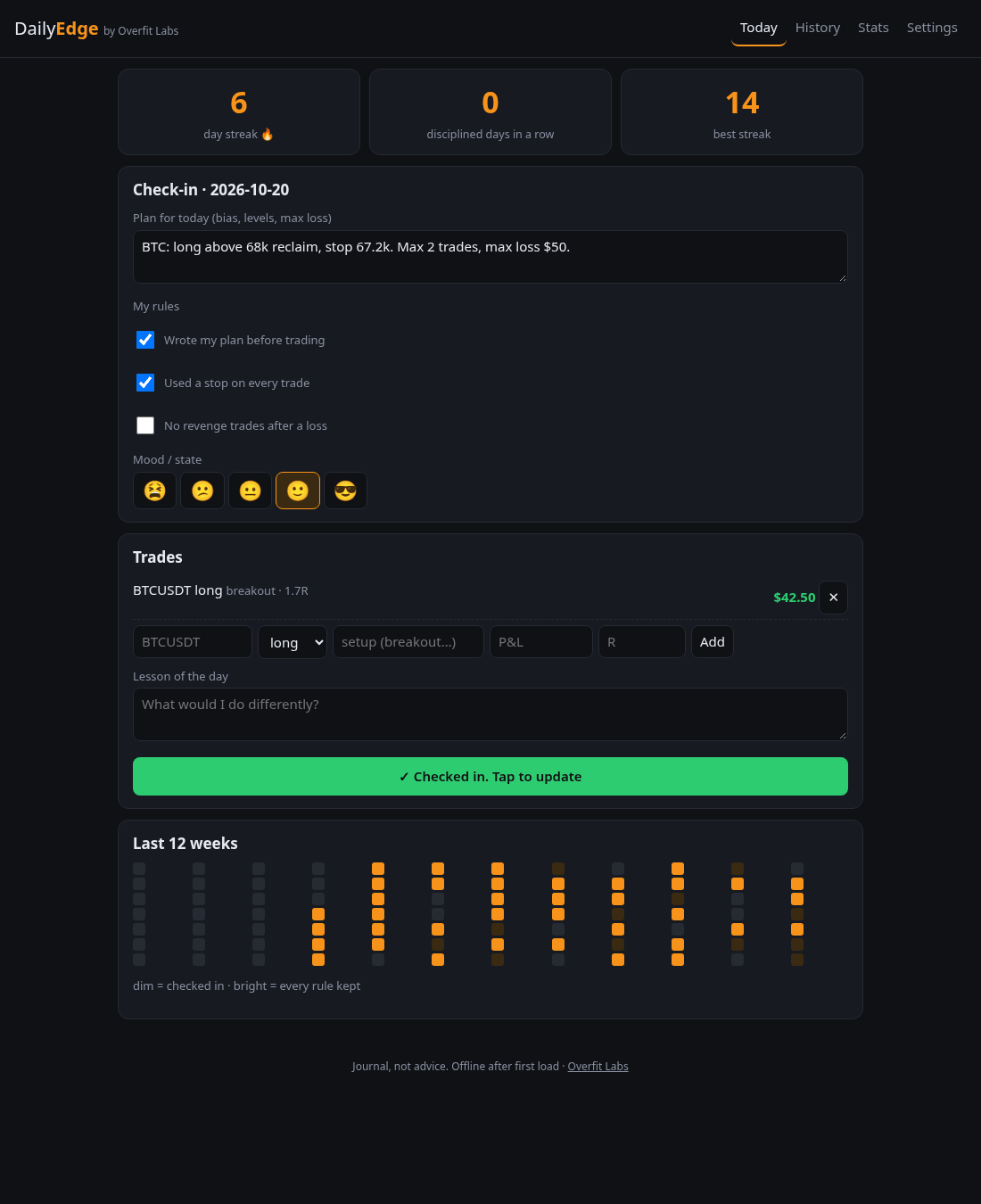

Tip: Settings → Load demo data lets you explore with sample numbers first.
📈 Charts
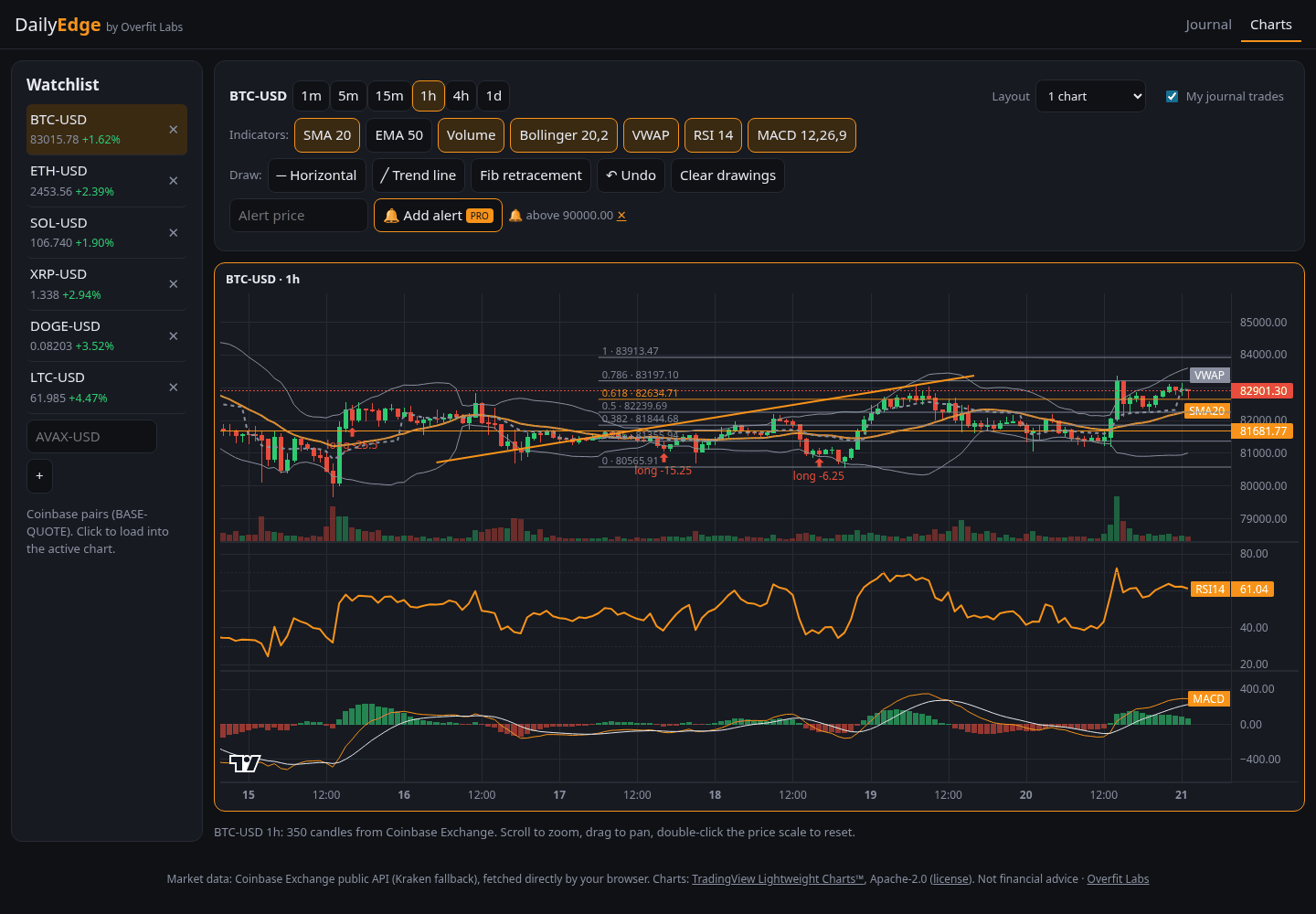
- Pick a market from the watchlist (add any Coinbase pair such as AVAX-USD) and a timeframe.
- Scroll to zoom, drag to pan, double-click the price scale to reset it.
- Toggle indicators: SMA, EMA and volume are free; Bollinger, VWAP, RSI and MACD are Pro.
- Draw: choose a tool, then click the chart (one click for a horizontal line; two for a trend line or fib).
- Tick My journal trades to see your logged trades as arrows on the candles.
- Pro: 2 or 4 charts at once and price alerts, which run while the tab is open.
🧪 Paper trading (simulated)
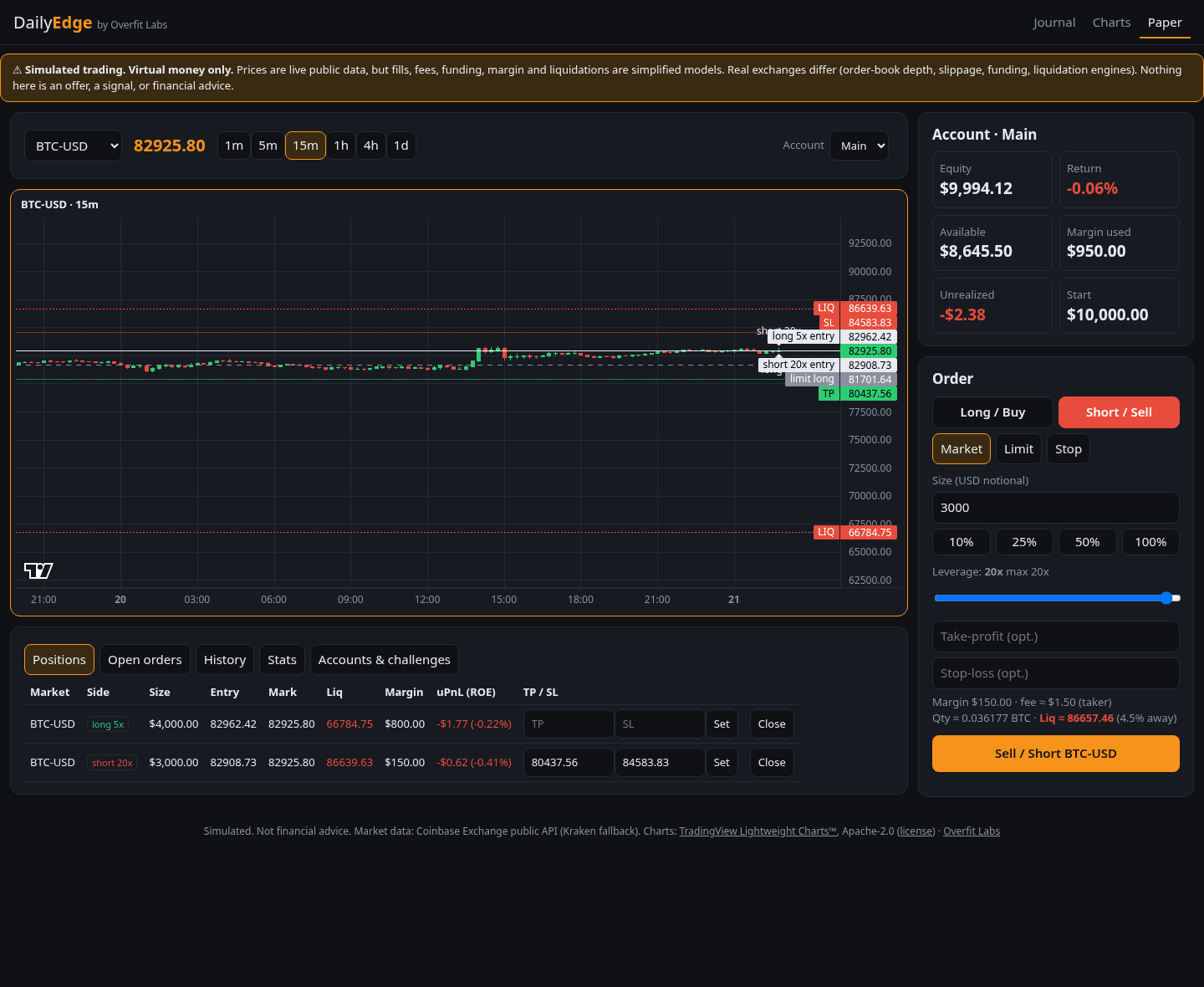
Virtual money only. Prices are live, but fills, fees, funding and liquidations are simplified models. It's practice, not financial advice.
- Choose Long (profit if price rises) or Short (profit if it falls).
- Choose Market (fill now), Limit (wait for a better price) or Stop (trigger on a breakout).
- Set a size in USD and a leverage (free up to 5x, Pro up to 20x). The ticket shows your margin, fee and liquidation price. If price reaches it, you lose that position's margin.
- Optionally add a take-profit and stop-loss. Lines for entry, TP, SL and liquidation appear on the chart.
- Close positions from the Positions tab. Closed trades also land in your journal tagged PAPER, kept apart from your real stats.
Reset an account to $1k, $10k, $100k or any amount under Accounts & challenges. Pro adds more accounts and challenges (for example +10% before −5%).

📤 Share cards & challenge links
- In History, tap Share on a closed trade. In Stats, share your account or challenge.
- Pick a style (Classic is free; Bold, Minimal and Square are Pro) and tick Hide dollar amounts to show % only.
- Download, Copy or Share… the PNG. Every card says PAPER · SIMULATED.
- In Accounts, tap Copy link on a challenge. A friend who opens it can start the same challenge in one tap.


💼 Portfolio
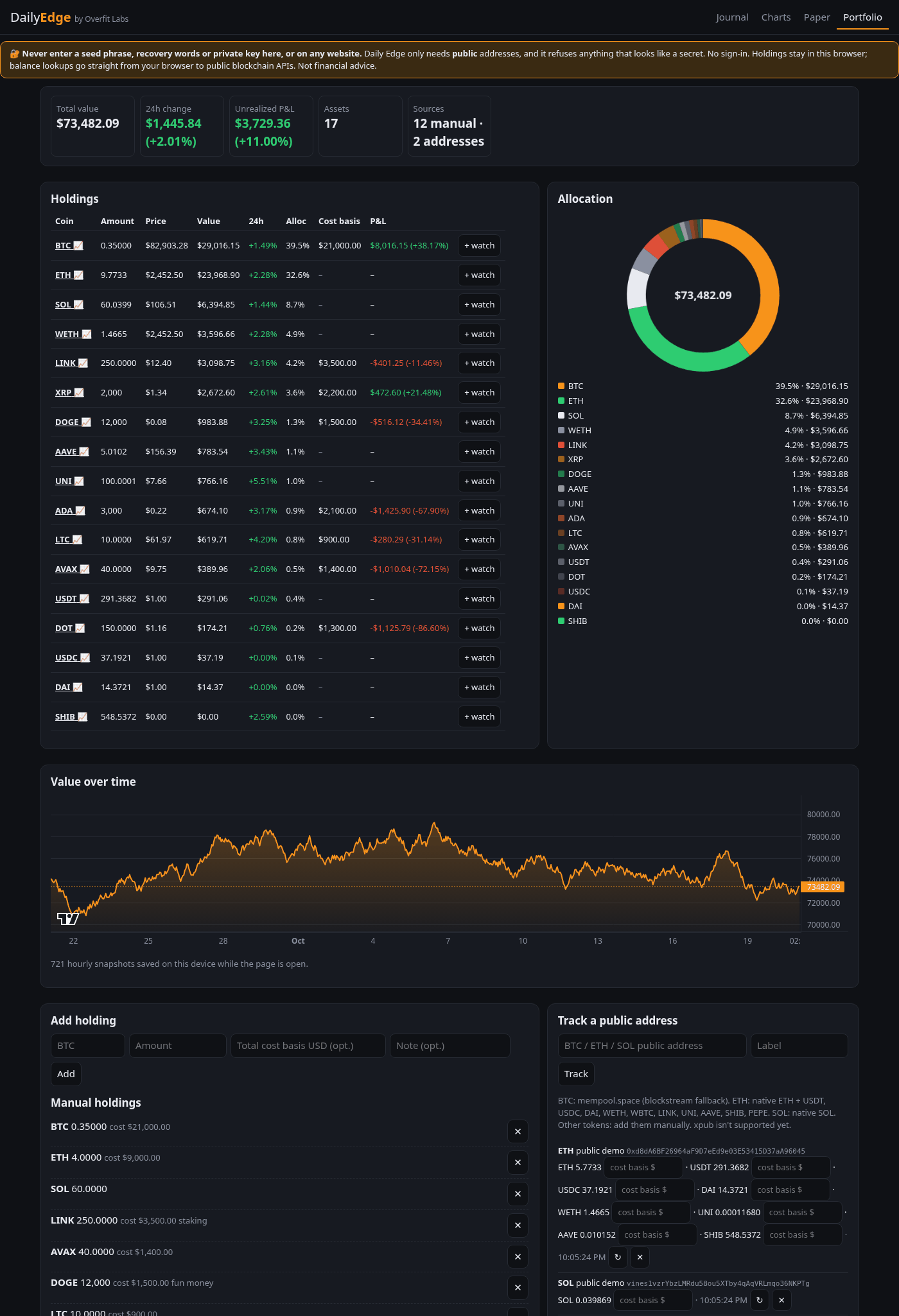
🔐 Never enter a seed phrase, recovery words or a private key, here or on any website. Only public addresses are needed.
- Add a holding: coin, amount and, optionally, the total USD you paid (cost basis) to see P&L.
- Or track a public address: BTC, ETH (plus 10 major tokens) or SOL. Balances refresh every 5 minutes.
- See value, 24h change, allocation and P&L. Click a coin to open its chart, or + watch to add it to your watchlist.
- Value over time is saved hourly while the page is open (free: 24 hours; Pro: everything, plus CSV import/export).

🧰 Tools
Open Tools in the top bar for the calculators. Each has a tour and ? hints.
- Position size: how big a position is if a stop-out should cost a fixed % of your account, with margin, R:R and a liquidation check.
- Exit planner: split a position into up to 3 take-profit levels (5 with Pro). See P&L and R per level, the blended exit, and what happens if price turns back to your stop, or to breakeven after target 1. From position size loads the entry, stop and size from the calculator; Fill 1R · 2R · 3R spaces targets by your stop distance.
- DCA simulator, Fear & Greed + funding, Price alerts, News (watchlist headlines) and Review & P&L export.
⭐ Pro
Pro is $9 once, in bitcoin, from the shop page. After payment confirms, your license key appears on that page with an unlock button. On another device, paste the same key in Journal → Settings. Keep it safe. See the FAQ for details.
📲 Install & offline
Use your browser's Install or Add to Home Screen. After the first visit the journal works offline. Charts, paper trading and portfolio balances need internet for live prices.